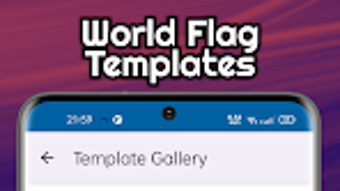

Download A+ Flag Maker – flag maker, create flags, design flags, flag design tool, flag editor, custom flag maker, flag templates, 3D flag animation, live wallpaper, Android app
Overview
A+ Flag Maker is a specialized Android application crafted for individuals passionate about flag design, whether they are hobbyists, educators, or professionals in visual arts and cultural representation. The software enables users to create visually striking flags from scratch or by using over 300 pre-designed templates, covering a wide range of world, historical, and regional flags. This versatility makes it suitable for diverse use cases such as classroom projects, game development, fictional world-building, and personal creative expression.
The app supports a comprehensive suite of design tools, including customizable shapes, a vast library of emblems and icons, and the ability to import personal images for unique touches. Users can also add personalized text using hundreds of available fonts. With the capability to export designs as high-quality 4K PNG images and generate 3D waving flag videos, A+ Flag Maker extends beyond static design into dynamic visualization.
Additionally, the option to set final creations as live wallpapers enhances the interactive experience on Android devices. The developer did not provide additional details about the company or development background.
Key Features & Capabilities
- Over 300 Flag Templates – Access a diverse collection of world, historical, and regional flag designs to serve as starting points for customization.
- Custom Design from Scratch – Begin with a blank canvas and build flags using shape tools, color palettes, and layering options.
- Extensive Emblem and Icon Library – Choose from a wide array of symbols and emblems to incorporate into flag compositions.
- Image Import Functionality – Upload personal images to use as elements within flag designs, enabling highly personalized creations.
- Advanced Text Customization – Apply hundreds of fonts and adjust text size, alignment, and styling for precise typographic control.
- Layer-Based Editing – Utilize a multi-layer system to manage different components of a flag, allowing for non-destructive editing and precise positioning.
- 4K PNG Export – Save high-resolution flag designs suitable for printing, digital display, or professional use.
- 3D Waving Flag Animation – Generate dynamic video previews of flags in motion, ideal for presentations or digital portfolios.
- Live Wallpaper Integration – Set completed flag designs as live wallpapers, transforming the device’s home screen into a dynamic visual display.
These features collectively support both novice users and experienced designers in crafting detailed and visually compelling flag designs. The app is particularly effective for users creating fictional nations, organizing school projects, or enhancing digital storytelling with authentic-looking flags.
User Interface, Workflow & Performance
The user interface of A+ Flag Maker is designed with an intuitive layout, featuring accessible toolbars, clearly labeled menus, and a responsive canvas for real-time editing. Navigation is streamlined through a tab-based system that separates design elements such as templates, layers, text, and export options. The workflow supports a logical progression from concept to final output, allowing users to build designs step-by-step with minimal friction.
The app maintains consistent responsiveness during design operations, and performance observations are based on general software behavior patterns. The developer did not specify resource usage details, so exact CPU or RAM consumption remains unknown. Stability during extended use was not publicly documented.
Users can expect a smooth experience on modern Android devices, though actual performance may vary depending on hardware specifications.
Compatibility & System Requirements
A+ Flag Maker is designed for Android operating systems and is available in version 1.2.3. The application has a file size of 45.7 MB, indicating a relatively lightweight installation. The developer did not provide additional details regarding minimum hardware requirements, such as RAM, processor speed, or storage space needed for optimal performance. Platform compatibility information is limited to Android, and no details were shared about support for tablets, wearables, or other Android-based devices. Users are advised to ensure their device runs a compatible Android version, though specific OS version requirements were not listed.
Pros and Cons
Pros
- Extensive library of over 300 flag templates for quick inspiration and customization.
- Supports both beginner-friendly and advanced design workflows.
- High-quality 4K PNG export for professional and print-ready outputs.
- Unique 3D waving flag animation feature for dynamic visual presentations.
- Ability to set flag designs as live wallpapers for immersive device personalization.
- Flexible import options for personal images and extensive font selection.
Cons
- Price point of $4.99 may be considered high for casual users.
- Limited information on system requirements and hardware compatibility.
- No mention of cloud sync or cross-device functionality.
- App is exclusive to Android; no version available for iOS or desktop platforms.
- Exact performance metrics and battery impact were not disclosed.
FAQ Section
Is A+ Flag Maker available for iOS devices?
Currently, A+ Flag Maker is only available on Android. There is no official iOS version announced.
Can I use my own images in flag designs?
Yes, the app allows users to import personal images to incorporate into their flag designs.
Does the app support offline usage?
Yes, once installed, A+ Flag Maker can be used without an internet connection.
What file formats can I export my flag designs in?
Designs can be exported as high-quality 4K PNG images. The app also supports generating 3D waving flag videos.
Is there a free version of A+ Flag Maker?
There is no free version available. The app is offered as a one-time purchase at $4.99.
Final Thoughts
A+ Flag Maker stands out as a powerful and creative tool for anyone interested in designing custom flags with a high degree of detail and visual impact. Its combination of over 300 templates, advanced editing features, and the unique ability to generate 3D animations makes it a standout choice in the niche of digital flag design. The inclusion of live wallpaper functionality adds a distinctive layer of personalization, especially appealing to Android users who value immersive device experiences.
While the app is priced at $4.99 and currently limited to Android, its feature set justifies the cost for dedicated users in education, gaming, or creative design. The lack of cross-platform availability and limited system information may deter some, but for its target audience, it delivers a robust and engaging experience. For those passionate about flag creation and digital artistry, A+ Flag Maker is a must-have tool.
Download A+ Flag Maker now




.png)

